

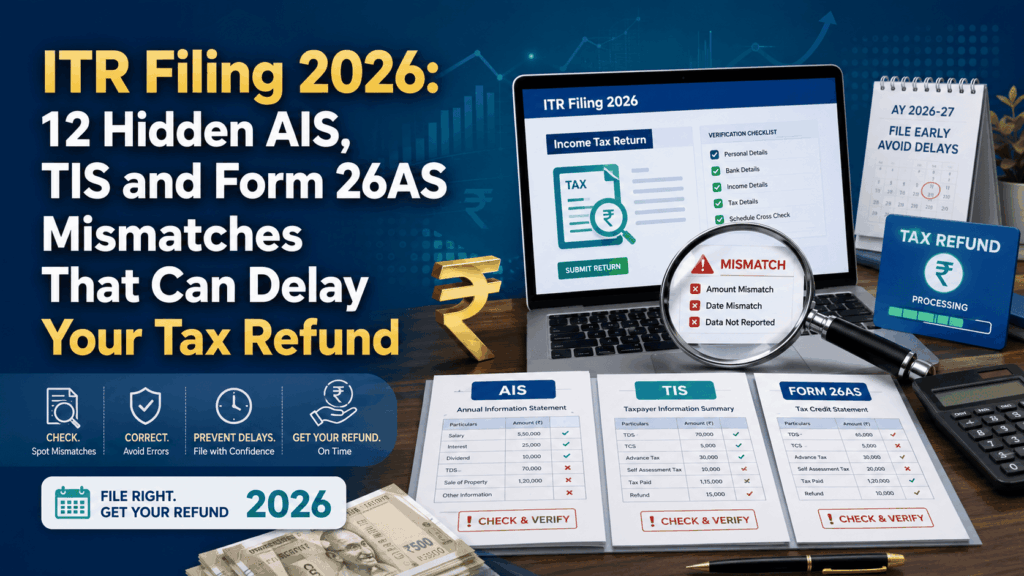
ITR Filing 2026 can become confusing when the details shown in AIS, TIS or Form 26AS do not match your Form 16, bank statements or investment records. You may think your return is ready, but a missing TDS entry, duplicated interest amount or wrongly reported transaction can change your tax calculation and affect your refund.
These mismatches are fairly common. Employers, banks, brokers, mutual-fund companies and other institutions report financial information separately. Sometimes a report is filed late. At other times, an incorrect PAN, amount or transaction detail creates the difference.
A mismatch does not necessarily mean that you have done something wrong. Still, it should not be ignored. Checking the details before filing may save you from a reduced refund, delayed processing or an unexpected tax demand.
What Are AIS, TIS and Form 26AS?
Before looking at the common mismatches, it helps to understand the purpose of these three records.
AIS
AIS stands for Annual Information Statement. It provides a detailed view of the financial information reported against your PAN.
Depending on your financial activity, it may show salary, bank interest, dividend income, TDS, TCS, share transactions, mutual-fund transactions and certain high-value activities.
You can submit feedback when an AIS entry is wrong, duplicated or unrelated to you. However, the Income Tax Department also explains that AIS may not include every taxable transaction. You are still responsible for reporting your complete and correct income. You can read the official AIS guidance for more details.
TIS
TIS stands for Taxpayer Information Summary. It gives you a shorter, category-wise summary of the information available in AIS.
For example, AIS may show several individual interest entries, while TIS may combine them under one interest-income category.
TIS may display the value processed by the system, the amount accepted by you after submitting feedback and the amount later confirmed by the reporting source.
Form 26AS
Form 26AS is especially important for checking your tax credit. It may contain information about TDS, TCS, advance tax, self-assessment tax and refunds.
If you claim more tax credit in your return than the amount available in Form 26AS, the additional credit may be restricted during processing. This may reduce your refund or result in a tax demand. The official Tax Credit Mismatch service can help you compare the amounts claimed in your return with the information available in Form 26AS.
Why These Mismatches Matter During ITR Filing 2026
https://www.qaskme.com/itr-filing-2026-10-mistakes-that-can-delay-your-tax-refund/
The Income Tax Department can compare the information entered in your return with the data already available in its systems.
A small difference may not prevent you from submitting the return, but it can create a problem during processing. You may receive a lower refund, an intimation showing additional tax payable or a request to correct the information.
Here are 12 mismatches worth checking before you submit your return.
1. Salary in AIS Does Not Match Form 16
The salary shown in AIS may be different from the amount mentioned in Form 16.
This does not always mean that one of the statements is incorrect. AIS may show your gross salary, while Form 16 may show taxable salary after the standard deduction, exemptions and other adjustments.
Suppose your gross annual salary is ₹10 lakh. After the standard deduction and eligible exemptions, your taxable salary may be lower. Comparing these two figures directly can make it look like there is a mismatch when there is none.
Check gross salary, exempt allowances, taxable salary and TDS separately. Compare similar figures rather than comparing the final totals without understanding what they include.
2. Salary From a Previous Employer Is Missing
If you changed jobs during the financial year, you may have more than one Form 16.
One common mistake is reporting only the salary from the latest employer, especially when the previous salary is not clearly visible in the pre-filled return.
For example, suppose you earned ₹4 lakh from your former employer and ₹7 lakh from your current employer. Your total salary for the year is ₹11 lakh, even if only the ₹7 lakh amount appears prominently on the portal.
Keep Form 16 from every employer and include your complete salary income.
3. Bank Interest Is Missing From AIS
Interest from savings accounts, fixed deposits and recurring deposits may not always appear correctly in AIS.
The interest may still be taxable even when the bank has not deducted TDS. A small fixed deposit, for example, may earn interest below the applicable TDS limit, but the income may still need to be reported.
During ITR Filing 2026, do not rely only on the figure shown in AIS. Download an annual interest certificate from each bank and review your account statements for interest credits.
A missing AIS entry does not automatically make the income tax-free.
4. The Same Interest Appears Twice
The opposite problem can also happen. The same interest amount may appear more than once in AIS.
This may happen when a bank reports information through different branches or when both the original entry and a corrected entry remain visible.
Before marking an amount as duplicated, check the bank name, account number, reporting source, date and value.
Two similar amounts may belong to different deposits. Submit feedback only when you are confident that the same transaction has genuinely been reported twice.
5. Form 16 Shows TDS, but Form 26AS Does Not
This mismatch can directly affect your refund.
Suppose Form 16 shows TDS of ₹50,000, but Form 26AS reflects only ₹35,000. If you claim the full ₹50,000 in your return, the additional ₹15,000 may not be accepted during processing.
This can happen when the employer or deductor uses the wrong PAN, reports an incorrect amount, files the TDS statement late or fails to submit a correction.
Contact the employer, bank, client or other deductor and ask them to verify the details. The deductor may need to file a corrected TDS statement. The Income Tax Department states that the tax credit provided can be restricted to the amount reflected in Form 26AS.
6. Professional Income Appears Under the Wrong Category
Freelancers, consultants and independent professionals may receive payments from several clients.
In AIS, a payment may appear as professional fees, contractual income or another category depending on how the payer reported it.
Do not classify the income only on the basis of the description shown in AIS. Check the invoice, contract, bank credit, Form 16A and the nature of the work.
The actual nature of the income matters when choosing the correct ITR form and reporting the amount in the correct schedule.
7. Advance Tax or Self-Assessment Tax Is Missing
You may have paid advance tax or self-assessment tax correctly, but the payment may not appear in Form 26AS.
This can happen because of an incorrect PAN, assessment year, challan serial number, payment date or BSR code.
Keep the payment receipt in front of you while entering the challan details. Copy every field exactly as it appears.
Remember that an income mismatch and a tax-payment mismatch are different issues. Your income figures may be correct even when the related tax payment has not been matched.
8. Dividend Income Does Not Match Your Bank Statement
Dividend income may be paid by several companies or mutual-fund schemes during the year.
Your bank statement may show the amount received after TDS, while AIS may show the gross dividend.
For example, if the gross dividend is ₹10,000 and ₹1,000 is deducted as TDS, your bank account may show only ₹9,000. Reporting only the net credit can understate your income.
Check the gross dividend and TDS separately. Small dividend payments can also be easy to miss when they arrive on different dates.
9. Share Sale Value Is Treated as Capital Gain
This is a common source of confusion during ITR Filing 2026.
AIS may show the total value of shares or securities sold during the year. That amount is not your taxable profit.
Suppose you bought shares for ₹2 lakh and sold them for ₹2.5 lakh. The sale value is ₹2.5 lakh, but the gain is not the full sale amount.
You need to consider the purchase price, sale value, holding period, brokerage, other charges and the applicable capital-gains rules.
Use your broker’s capital-gains statement, transaction report and contract notes. Do not enter the entire sale value as capital gain.
10. A Mutual-Fund Redemption Appears Twice
A mutual-fund redemption may be reported by the asset-management company, registrar or depository.
As a result, the same transaction may appear through more than one reporting source.
Check the scheme name, folio number, redemption date, number of units and amount received.
If all the details are identical, the entry may be duplicated. However, two redemptions with similar values may still be separate transactions, so review your mutual-fund statement before submitting feedback.
11. Full Property Value Is Shown Against One Co-Owner
Joint property transactions can create confusion in AIS.
Suppose two people own a property equally, but the full purchase or sale value appears against only one person’s PAN. That person should not automatically report the entire amount without checking the ownership share.
Compare the AIS information with the registered deed, ownership percentage, payment records and property-related TDS documents.
Also check the agreement date, payment date and registration date, as they may fall in different financial periods.
Property taxation can become complicated when joint ownership, inheritance or exemptions are involved. Professional tax advice may be useful in such cases.
12. AIS Feedback and TIS Value Do Not Match
You may submit feedback against an AIS entry and still see a different amount in TIS.
This does not always mean that your feedback has been rejected. TIS can continue to show the system-processed value along with the amount accepted by you or confirmed by the reporting source.
Download the latest statement and check the status of the transaction.
For TDS-related problems, AIS feedback alone may not correct the tax credit. The employer, bank or other deductor may still need to revise the relevant TDS statement.
How to Correct Mismatches Before ITR Filing 2026
Do not start changing figures immediately after noticing a difference. First, collect the documents connected with your income and tax payments.
Keep Form 16, Form 16A, AIS, TIS, Form 26AS, bank statements, interest certificates, broker reports, mutual-fund statements, property documents and tax challans ready.
Check one category at a time. Start with salary, then move to bank interest, dividends, capital gains and other income.
First calculate the correct income using your original documents. After that, check whether the related TDS, TCS or tax payment appears correctly in Form 26AS.
When a tax-credit difference remains after the return has been processed, an eligible correction may require a rectification request. The department advises taxpayers not to claim credits that are not part of Form 26AS while making a tax-credit mismatch correction.
Check the Return Before Submitting It
Before completing ITR Filing 2026, review the return one final time.
Make sure you have included salary from every employer, interest from all banks, dividend income, capital gains, professional or business income and every relevant tax payment.
Do not submit the return in a hurry. A few extra minutes of checking may save you from a reduced refund or tax demand later.
Do Not Forget to Verify Your Return
Submitting the return is not the final step. You also need to verify it.
The current time limit for e-verification or submission of ITR-V is 30 days from the date of filing. A return that is not verified can be treated as invalid. You can read the official ITR-V FAQs for the available process and timelines.
Depending on your eligibility, verification options may include Aadhaar OTP, an Electronic Verification Code or a Digital Signature Certificate.
Check Your Bank Account for the Refund
Your bank account should be active, validated and nominated for receiving the refund.
The Income Tax Department states that a validated bank account is required for the issue of a refund. You can validate multiple accounts and nominate an eligible account through the e-Filing portal.
A refund may fail because of an incorrect account number, outdated IFSC, closed account or mismatch in the account holder’s details.
Check your bank information before submitting the return, even when the rest of your tax calculation is correct.
Final Thoughts
ITR Filing 2026 does not have to become stressful because AIS, TIS and Form 26AS show different amounts.
Most mismatches can be understood by checking the original documents. Use your Form 16, bank statements, interest certificates, broker reports, mutual-fund statements and tax challans along with the information available on the tax portal.
Do not ignore income simply because it is missing from AIS. At the same time, do not accept an incorrect entry only because it appears in a pre-filled statement.
A careful review can help you avoid delayed processing, a reduced refund, an unexpected tax demand or the need to correct the return later.
Before finishing ITR Filing 2026, check every source of income, confirm the available tax credit, verify your return and make sure your bank account is ready to receive the refund.
People with foreign assets, business income, several properties, complex capital gains or major tax-credit mismatches should consider consulting a qualified tax professional.