

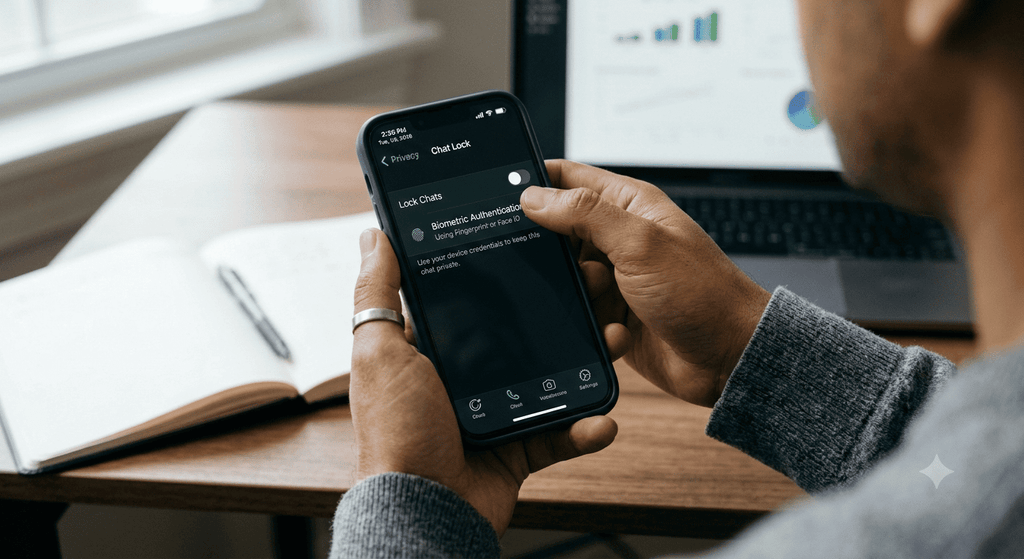
The WhatsApp Chat Lock 2026 feature helps protect selected conversations from unwanted access. It moves private chats into a separate Locked Chats folder. Users can open this folder with their phone’s authentication method, such as a fingerprint, Face ID, or passcode.
WhatsApp also offers a Secret Code feature. It allows users to hide the Locked Chats folder from the main chat list. This adds another layer of privacy.
In this guide, you will learn how to enable WhatsApp Chat Lock, hide chats, create a secret code, and access locked conversations.
What Is WhatsApp Chat Lock 2026?
WhatsApp Chat Lock 2026 is a privacy feature that protects selected individual and group conversations. Instead of keeping them in the regular chat list, WhatsApp moves them into a separate folder.
You must verify your identity before opening these conversations.
This feature is useful when:
- You share your phone with family members.
- Someone else occasionally uses your phone.
- You want to protect personal conversations.
- You do not want message previews to appear in notifications.
- You want extra privacy without locking the entire WhatsApp app.
Chat Lock does not delete your messages. It simply adds a security layer to selected conversations.
Main Features of WhatsApp Chat Lock
WhatsApp Chat Lock includes several useful privacy options.
1. Protect Individual Chats
You can lock a specific conversation without affecting other chats. This means your regular messages remain accessible while selected conversations stay protected.
2. Lock Group Chats
The feature also works with group conversations. You can protect a group chat in the same way as an individual conversation.
3. Hide Message Notifications
When a locked chat receives a message, WhatsApp hides the sender’s details and message content in the notification.
Instead of showing the actual message, the notification may display a general alert.
4. Use Fingerprint or Phone Authentication
Depending on your device, you can open locked chats using a fingerprint, Face ID, or your phone’s passcode.
5. Hide the Locked Chats Folder
You can use a Secret Code to hide the Locked Chats folder from your main chat list. This makes the folder less visible to someone browsing your WhatsApp.
https://blog.whatsapp.com/chat-lock
How to Enable WhatsApp Chat Lock on Android
Android users can lock private conversations by following these steps.
Step 1: Open WhatsApp
Open WhatsApp on your Android smartphone.
Make sure you are using an updated version of the app. The available settings may differ slightly between versions.
Step 2: Select the Chat
Find the individual or group conversation that you want to protect.
You can select a personal chat or a group chat.
Step 3: Open Chat Information
Tap the contact’s name or group name at the top of the conversation.
This will open the chat information screen.
Step 4: Find the Chat Lock Option
Scroll through the available settings and look for the Chat Lock option.
Tap it to continue.
Step 5: Turn On Chat Lock
Enable the Chat Lock option.
WhatsApp may ask you to verify your identity using your fingerprint, face recognition, or phone passcode.
Step 6: Confirm the Setting
Complete the verification process.
Your selected conversation will move to the Locked Chats folder.
You can now access it only after completing the required authentication.
How to Lock WhatsApp Chats Without Opening Them
WhatsApp may also provide a quick way to lock a conversation directly from the chat list.
Follow these steps:
- Open WhatsApp.
- Find the chat you want to lock.
- Press and hold the conversation.
- Look for the Chat Lock option.
- Select it.
- Complete the required authentication.
If this option is not available, open the conversation and use the chat information settings instead.
The exact menu may vary depending on your phone and WhatsApp version.
https://blog.whatsapp.com/chat-lock
How to Hide Locked Chats on WhatsApp
The Locked Chats folder may appear in your chat list. If you want more privacy, you can hide this folder using a Secret Code.
Step 1: Open the Locked Chats Folder
Open WhatsApp and find the Locked Chats folder.
If you have already hidden it, you may need to enter your secret code in the search bar.
Step 2: Open Chat Lock Settings
Enter the folder and open its settings.
Look for the Secret Code option.
Step 3: Create a Secret Code
Set a code that is different from your phone’s regular passcode.
Choose a code that you can remember but that other people cannot easily guess.
Step 4: Enable Hide Locked Chats
After setting the secret code, find the Hide Locked Chats option.
Turn it on.
The Locked Chats folder will no longer appear in your regular chat list.
Step 5: Save Your Secret Code
Keep your code safe.
Do not share it with other people. If you forget it, recovering your locked chats may require a reset that can clear their messages and media.
How to Find Hidden WhatsApp Chats
https://www.qaskme.com/question-tag/privacy/
After hiding the Locked Chats folder, you may wonder how to access your conversations again.
Follow these steps:
- Open WhatsApp.
- Tap the search bar at the top of the chat list.
- Enter your Secret Code.
- Wait for the Locked Chats folder to appear.
- Tap the folder.
- Complete the required authentication.
Your hidden conversations should now be accessible.
If you have not enabled the hide option, you can usually find the Locked Chats folder by opening the chat list and swiping down.
How to Unlock WhatsApp Chats
If you no longer want to protect a conversation, you can turn off Chat Lock.
Follow these steps:
- Open WhatsApp.
- Access the Locked Chats folder.
- Verify your identity.
- Select the conversation you want to unlock.
- Open its chat information or settings.
- Find the Chat Lock option.
- Turn it off.
- Complete authentication if requested.
The conversation will return to your regular chat list.
Unlocking a chat does not normally delete its messages.
WhatsApp Chat Lock on iPhone
iPhone users can also protect selected conversations.
The process is similar to Android, although the menus may look different.
- Open WhatsApp on your iPhone.
- Select the conversation you want to lock.
- Tap the contact’s or group’s name.
- Find the Chat Lock setting.
- Turn on the feature.
- Confirm using Face ID, Touch ID, or the available authentication method.
The chat will move into the Locked Chats folder.
You can also create a Secret Code and hide the folder if the options are available in your app version.
Does WhatsApp Chat Lock Protect Notifications?
Yes. Chat Lock helps keep notification details private.
When a message arrives from a locked conversation, WhatsApp hides the sender’s name and message preview.
This can help prevent someone from reading a personal message while looking at your phone’s screen.
However, Chat Lock does not block WhatsApp calls from the locked contact. Calls may still come through.
Therefore, Chat Lock should not be treated as a complete communication block.
Difference Between WhatsApp Chat Lock and Archive
Many users confuse Chat Lock with the Archive feature. However, both features work differently.
| Feature | Chat Lock | Archive |
|---|---|---|
| Main purpose | Protect private chats | Organize the chat list |
| Authentication required | Yes | No |
| Separate folder | Locked Chats | Archived |
| Hides message previews | Yes, for locked chats | Not the same protection |
| Provides extra privacy | Yes | Limited |
| Can lock group chats | Yes | Yes |
Archive is useful for keeping your chat list organized.
Chat Lock is better when you want to protect a conversation from someone who may access your phone.
Important Things to Know About WhatsApp Chat Lock
Before using this feature, keep the following points in mind.
- Chat Lock protects selected conversations, not the entire WhatsApp app.
- Locked chats are not deleted.
- Notifications from locked chats hide message details.
- WhatsApp calls from locked contacts can still come through.
- You can lock individual and group conversations.
- A Secret Code can help hide the Locked Chats folder.
- The exact settings may vary between Android and iPhone.
- Keep your WhatsApp app updated for available features.
For stronger privacy, also secure your phone with a strong screen lock.
WhatsApp Privacy Tips for 2026
Chat Lock is useful, but you can take additional steps to protect your account.
Use a Strong Phone Passcode
Set a strong passcode or biometric authentication on your smartphone. This helps prevent unauthorized access.
Enable Two-Step Verification
Two-step verification adds another layer of security to your WhatsApp account.
You can find it under WhatsApp Settings and Account, depending on your app version.
Do Not Share Your Secret Code
Your Secret Code should remain private. Avoid sharing it with anyone.
Review Privacy Settings
Check who can see your profile photo, Status, last seen, and online information.
Choose settings that match your privacy needs.
Keep WhatsApp Updated
Install updates from the official app store. Updates may include security improvements and feature changes.
Be Careful With Linked Devices
Review your linked devices regularly. Log out of any device you no longer use or recognize.
These steps can help improve your overall WhatsApp security.
Frequently Asked Questions
1. What is WhatsApp Chat Lock 2026?
WhatsApp Chat Lock is a feature that moves selected conversations into a protected folder. Users can open the folder using device authentication.
2. How can I lock a WhatsApp chat?
Open the conversation, tap the contact or group name, select Chat Lock, and follow the authentication steps.
3. Can I hide WhatsApp chats completely?
You can hide the Locked Chats folder using a Secret Code. Hidden chats can then be accessed by entering the code in the WhatsApp search bar.
4. Can I lock WhatsApp group chats?
Yes. Chat Lock supports both individual and group conversations.
5. Does Chat Lock delete messages?
No. Chat Lock protects the conversation. It does not normally delete messages.
6. Can someone see messages from locked chats in notifications?
WhatsApp hides the sender’s details and message content in notifications from locked chats.
7. Can I unlock a WhatsApp chat later?
Yes. You can turn off Chat Lock from the conversation’s settings after verifying your identity.
8. Does Chat Lock block WhatsApp calls?
No. Calls from contacts whose chats are locked may still come through.
9. What happens if I forget my Secret Code?
WhatsApp provides a recovery or reset option. However, resetting locked chats may clear messages and media from those conversations. Review the warning carefully before proceeding.
10. Is WhatsApp Chat Lock available on Android and iPhone?
Yes. Chat Lock is available on supported Android and iPhone devices. The steps and options may differ slightly.
Conclusion
The WhatsApp Chat Lock 2026 feature is a useful way to protect personal conversations. It allows users to move selected chats into a separate folder and secure them with phone authentication.
You can also create a Secret Code to hide the Locked Chats folder from the main chat list. This makes private conversations less visible to people who may use your phone.
For better security, use a strong phone passcode, enable two-step verification, and review your privacy settings regularly.
Always remember that Chat Lock adds privacy to selected conversations. It does not replace the security of your entire phone or WhatsApp account.